See the whole picture.
View online and known devices with their current IP, hostname, vendor, MAC address and device type. Search, filter and sort to find what matters.
DecoDesk Network Admin · For macOS
Know what’s connected. Give every device a place.
Manage DHCP reservations right from your Mac.
Devices, names, categories and reserved IPs — together in one native Mac app.
LOCAL CONNECTION. YOUR CONTROL.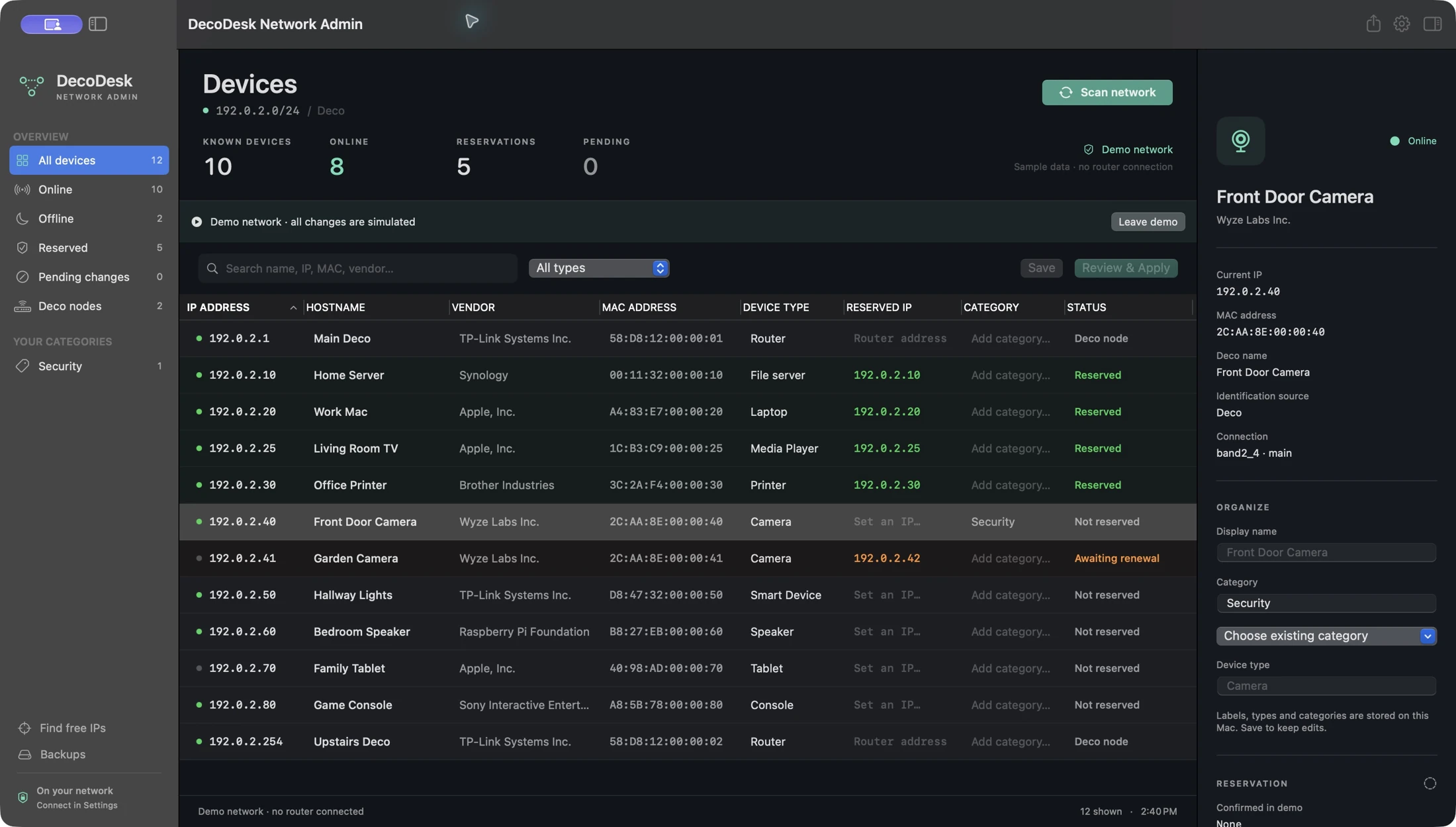
A calmer way to manage your network
View online and known devices with their current IP, hostname, vendor, MAC address and device type. Search, filter and sort to find what matters.
Give devices local names and categories. Keep printers, servers and cameras easy to recognize. Export the visible list as CSV.
Save a reservation draft, inspect the old and new mapping, then apply. Known conflict checks, local snapshots and status labels keep changes clear.
Simple setup
Join your Deco’s local network, let the app find your router, and enter the network owner’s TP-Link account password. macOS Keychain keeps the saved password on your Mac.
Follow the connection guide ↗Use the main LAN, rather than a guest network.
Allow macOS Local Network access.
No email or separate certificate file required.
Before you connect
Reservation editing currently supports compatible Deco BE63 hardware 3.x in Router mode. Your Deco must already be set up. Other compatible local interfaces may allow browsing only, and future firmware can change compatibility.
Names and categories are local labels. A device may keep its current IP until its next DHCP lease renewal. Address suggestions cannot establish that an offline or manually configured device is absent.
DecoDesk focuses on inventory and reviewed address reservations. It does not set up a new Deco, update firmware, reboot routers or change Wi-Fi, Internet, DNS, gateway or DHCP subnet settings.
A little help goes a long way